
Unified Communications Services in Waterbury, VT

Streamline Your Business Communications

Unify Essential Communication and Collaboration Tools. Simplify How Your Business Communicates.

Businesses rely on multiple communication channels to keep employees connected with colleagues, customers, vendors, and other stakeholders. Voice calls, instant messaging, video meetings, email, and collaboration platforms may all play a role in daily operations. When these technologies operate separately, however, employees may have to move between multiple applications to communicate and find the information they need.

Unified communications services bring communication and collaboration capabilities into a more connected technology environment. For small and midsize businesses, unified communications can support office-based, remote, hybrid, and multi-location teams while providing a more consistent way to access essential communications tools.

TeamLogic IT in Waterbury can help businesses evaluate their current communications environment and determine how unified communications may fit within their broader IT strategy.

Connect Your Team & Streamline Your Communications.

Improve collaboration, enhance productivity, and keep your business connected with Unified Communications Services from TeamLogic IT. From VoIP and video conferencing to integrated messaging and collaboration tools, communication solutions tailored to your business needs.

What Are Unified Communications Services?

Unified communications (UC) combines multiple business communication capabilities within an integrated environment. Depending on the solution, a unified communications system may incorporate business voice, instant messaging, presence, video meetings, audio conferencing, voicemail, and collaboration tools.

Rather than treating each channel as an isolated technology, UC can make it easier for employees to move between different forms of communication. An employee might see whether a colleague is available, send an instant message, and transition to a voice or video conversation using connected tools.

Cloud-based Unified Communications as a Service (UCaaS) delivers UC capabilities through a cloud environment. Other organizations may use on-premises or hybrid approaches. The appropriate model depends on factors such as existing infrastructure, workforce requirements, applications, connectivity, and business priorities.


Unified Communications Services

Assess Your Business Communication Needs

Selecting unified communications software should begin with understanding how the business currently communicates. Organizations can inventory their existing phone systems, conferencing platforms, messaging applications, collaboration technologies, devices, and network connections.

Employee locations should also be considered. A business operating from one office may have different requirements than an organization supporting remote employees and multiple locations. It is also important to examine how employees use different communication channels throughout the workday.

Existing contractual, organizational, or regulatory requirements may also influence technology decisions. Defining these needs before selecting a platform can help businesses focus on capabilities that support their actual operations.

Assess Your Business Communication Needs

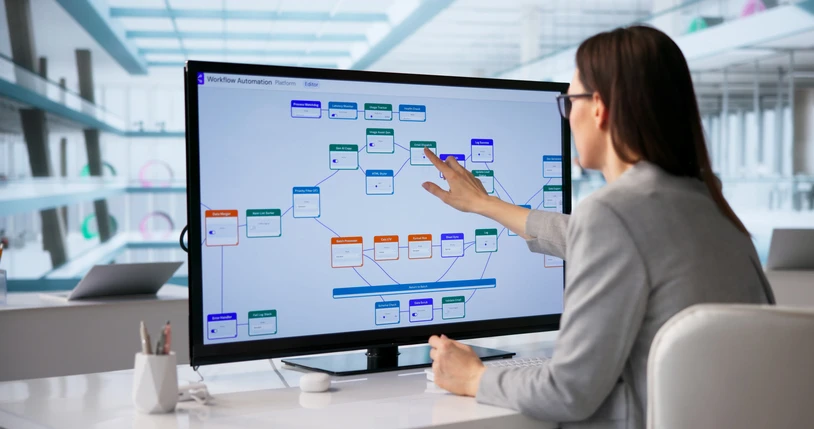
Connect Communications with Business Workflows

The value of a UC environment extends beyond providing employees with additional ways to communicate. The technology should fit into the workflows employees already use.

A sales team, for example, may depend heavily on voice, messaging, meetings, and CRM software. Customer service teams may require call routing and easy access to customer information. Administrative employees may rely more heavily on messaging, presence, meetings, and document collaboration.

Connecting these technologies can reduce the need to move among disconnected applications. Presence capabilities can help employees see whether a colleague is available, while messaging provides an option for quick questions that may not require a meeting or phone call. Understanding these workflows can help an organization determine which unified communications services are relevant to its workforce.


Workflow Integration

Core Unified Communications Capabilities

The capabilities included in a unified communications system vary by platform, but several technologies commonly form the foundation of UC.

Business Voice and VoIP

Voice over Internet Protocol (VoIP) allows voice communications to operate over IP networks rather than relying exclusively on traditional telephone infrastructure.

Business VoIP platforms can include calling, voicemail, call forwarding, routing, and other features. Because calls depend on network connectivity, the underlying network is an important consideration when evaluating VoIP and UC.

Messaging, Presence, and Collaboration

Instant messaging gives employees another way to communicate without relying on a call or meeting. Presence capabilities can indicate whether colleagues are available, busy, away, or in a meeting.

Depending on the platform, unified communications software may also connect with file sharing, productivity applications, and other collaboration technologies. These capabilities can be particularly useful for organizations whose employees work across multiple locations.

Video Meetings and Audio Conferencing

Video meetings and audio conferencing are another important part of modern business communications. Platforms may offer browser-based access, dial-in options, screen sharing, recording, or transcription capabilities.

Businesses should evaluate these features according to employee and customer requirements rather than assuming every available capability is necessary. Network performance also affects the user experience, making connectivity an important part of UC planning.

Data / Voice / Connectivity

Cloud-Based, On-Premises, and Hybrid UC

There is no single deployment model that fits every organization.

Cloud-based UCaaS hosts communications capabilities in a cloud services environment. This approach can provide centralized access for organizations with remote employees or multiple locations and may reduce reliance on certain onsite communications hardware.

Some businesses may continue using on-premises communications infrastructure because of existing technology investments, operational requirements, or other business considerations. A hybrid environment can combine cloud-based and existing communications technologies. This approach may also provide a path for organizations that want to transition certain capabilities gradually rather than changing the entire communications environment at once. Evaluating the existing infrastructure can help determine which approach aligns with the organization’s requirements.


Cloud Assessment

Network Readiness for Unified Communications

Since many unified communications capabilities depend on IP networks, network readiness deserves careful attention before deployment.

Bandwidth is one consideration, but it is not the only one. Latency, jitter, packet loss, Wi-Fi performance, and overall network capacity can affect voice calls and video meetings. Quality of Service (QoS) configurations can also help organizations manage network traffic according to application requirements.

Businesses with multiple locations should consider connectivity at each site. Remote employees may introduce additional network considerations because their home internet connections and Wi-Fi environments can affect communications performance.

Reviewing network readiness before implementing a unified communications system can help identify technical dependencies that should be addressed during planning.

Network Assessment

Integrating Unified Communications with Existing Systems

Many businesses are not starting with a blank technology environment. Existing phone systems, applications, productivity platforms, and collaboration technologies all need to be considered. Depending on the technologies involved, a migration may include a period when existing and new communications systems operate alongside one another.

Unified communications platforms may also integrate with CRM systems, productivity applications, directories, and other business technologies through APIs or software connectors. Organizations should identify these dependencies early and determine which users, numbers, applications, and data sources will be affected by a transition. Careful planning can help reduce unnecessary disruption as employees move to new communications technologies

Integrating Unified Communications

Planning a Unified Communications Deployment

A unified communications deployment begins with understanding the existing environment. Organizations can review their communications technologies, network infrastructure, users, devices, applications, and integrations before defining future requirements.

The next step is identifying which capabilities and business workflows the new environment needs to support. Migration requirements, user groups, integrations, and other technical dependencies can then be incorporated into deployment planning.

Testing may be appropriate before a broader rollout. Organizations can evaluate functionality, network performance, integrations, and the user experience and make adjustments where necessary.

Employee preparation is equally important. Training and internal communications can help users understand new tools and how they fit into daily workflows. After deployment, organizations should continue monitoring system performance, technical issues, and changing user requirements.

Planning a Unified Communications Deployment

Network Segmentation by TeamLogic IT

TeamLogic IT in Waterbury helps organizations evaluate where network segmentation fits within their broader IT and network security strategy. An assessment engagement can begin with reviewing network architecture, identifying connected assets and documenting existing communication patterns. The resulting information can help determine which systems should be separated and which communication paths are necessary for business operations.

Segmentation planning may also include recommendations for VLANs, firewall boundaries, access controls and monitoring. Where appropriate, proposed policies can be tested through a pilot deployment before they are introduced more broadly.

During implementation, support may include configuring switches and firewalls, establishing VLANs, developing ACLs and validating connectivity. Both remote and onsite assistance may be available depending on the requirements of the organization and participating TeamLogic IT location.

After deployment, managed monitoring and policy maintenance can help organizations evaluate traffic patterns, address configuration changes and keep segmentation aligned with evolving infrastructure. Network changes should be reviewed as new applications, users, cloud services and devices are introduced.

TeamLogic IT in Waterbury approaches network segmentation as part of an organization’s broader technology environment, connecting network design, access control, monitoring and ongoing IT management.

Why TeamLogic IT’s Data Protection Services Work

Potential Benefits of Unified Communications

Bringing multiple communications capabilities together can support a more connected working environment. Employees can access different communication channels through related tools rather than relying on separate technologies for every interaction. UC can also support collaboration among employees working from different offices, remote locations, or hybrid environments.

Integrating communications with other business applications can further simplify certain workflows and make information more accessible during conversations. The specific benefits will depend on the organization’s existing technology, workforce, applications, and implementation approach.

Potential Benefits of Unified Communications

How TeamLogic IT Can Help 

Unified communications should be considered as part of the broader managed IT services environment. Network infrastructure, cybersecurity, cloud services, business applications, user devices, and existing communications technologies can all influence unified communications decisions.

TeamLogic IT can help organizations evaluate communications requirements in this broader context. This can include reviewing existing technologies, considering network requirements, evaluating potential integrations, and addressing cybersecurity considerations during planning.

Why Businesses Choose TeamLogic IT for Cloud Virtual Desktop Services

Frequently Asked Questions About Unified Communications Services

Unified communications services bring multiple business communications capabilities into a connected environment. Depending on the solution, this can include voice, messaging, presence, video meetings, conferencing, and collaboration tools.

Unified Communications as a Service, or UCaaS, provides unified communications capabilities through a cloud-based service rather than relying entirely on communications infrastructure located at the business.

VoIP focuses primarily on transmitting voice communications over IP networks. Unified communications is broader and can combine VoIP with messaging, presence, video, conferencing, and collaboration capabilities.

Potentially. Compatibility depends on the existing phone system, selected UC technology, integration options, and business requirements. Existing infrastructure should be evaluated during planning.

Businesses can begin by reviewing their existing communications technologies, network infrastructure, users, applications, integrations, security requirements, and desired capabilities. This information can help guide platform selection and migration planning.

Request a Consultation

Reliable network monitoring starts with understanding what needs to be monitored, what information matters, and how IT teams will respond when conditions change. A network assessment can provide a useful starting point. TeamLogic IT can help evaluate existing network devices, infrastructure, traffic patterns, monitoring practices, and business requirements to identify areas where additional visibility may be useful.  From there, your organization can develop a monitoring roadmap that prioritizes appropriate tools, alerts, workflows, and remediation needs.